Fitness Tracker Accuracy: Why Your Watch’s Calorie Count Is Usually Wrong
Full disclosure: Some links in this article are affiliate links. We may earn a small commission at no extra cost to you if you make a purchase through them. Our recommendations are based on what real users report, not on commission size.

What the 2026 Study Actually Measured
There is no single 2026 trial that settles the question of how accurate your watch really is. Headlines like to point at one paper, but the honest version is that this is a decade-old research thread with dozens of validation studies, and the pattern across them has been remarkably consistent.
The study most people end up quoting comes from Stanford. In 2017, Anna Shcherbina and her colleagues at the Stanford Cardiovascular Institute ran seven popular wrist devices through a lab protocol and published the results in the Journal of Personalized Medicine. Sixty volunteers. Devices included the Apple Watch, Fitbit Surge, Basis Peak, Microsoft Band, Mio Alpha 2, PulseOn, and Samsung Gear S2. Four activity conditions: sitting, walking, running, and cycling.
The comparison standard was indirect calorimetry. Plain version: you wear a mask, the machine measures the oxygen you breathe in and the carbon dioxide you breathe out, and from that ratio it calculates how much energy your body actually burned. It is not a guess and it is not a formula. It is a measurement. That is why it gets used as the reference standard these devices are graded against.
Heart rate held up well. Six of the seven devices stayed within about 5 percent of an ECG reading, which is plenty for training purposes. Calorie estimates did not hold up. None of the devices hit an acceptable accuracy threshold for energy expenditure, and the errors spanned roughly 27 percent to 93 percent depending on the device.
That split is the part people miss. Your watch is measuring one thing and calculating another. Heart rate is a measurement — an optical sensor reads blood volume changes under your skin. Calories are an algorithm that takes that heart rate, plus motion data, plus your age, weight, and sex, and estimates what that combination usually means for energy burn. Two devices reading the identical pulse can return very different calorie totals because their equations are built differently.
The pattern repeats in later work. A 2020 systematic review in JMIR mHealth and uHealth pooled more than 150 validation studies and found the same shape: step counts generally reliable, heart rate decent at rest and moderate intensity, energy expenditure consistently the weakest measurement of the bunch. Separate work on optical sensors, including a 2020 paper in npj Digital Medicine, showed that skin tone, wrist movement, and sensor fit can all degrade heart rate readings — which then feeds straight into the calorie math downstream.
What those studies did not cover well is strength training and stop-start intervals. Most classic validation protocols use steady treadmill or bike work because it is easy to standardize. Lifting is messier to study, and the smaller number of trials that do examine resistance training tend to report larger calorie errors, since heart rate spikes and drops in ways that do not map cleanly onto oxygen use.
So the error is not one number you can memorize. Firmware updates shift it. Strap tightness shifts it. Wrist size, skin tone, and body composition shift it. I have worn two watches on the same run and gotten totals that were not even in the same neighborhood. I have also worn a strap loose, watched my heart rate read low, and seen my reported burn quietly fall by a few dozen calories.
Total daily burn is shakier than workout burn. Watches see a logged workout reasonably well. They miss almost all your non-exercise movement — the stairs, the pacing during a phone call, the fidgeting. They also tend to credit more post-exercise burn (EPOC) than the physiology supports. EPOC is real, but it is modest, usually a small fraction of what the workout itself cost you.
None of this makes the watch useless. It makes the watch an estimator, and estimators come with error bars. The practical move is to stop reading that calorie number as fact and start reading it as a rough index that only carries meaning when you compare it against itself over weeks. In the sections ahead, we will get into what actually drives the drift and how to train and eat without chasing a number your wrist made up.

Why Your Watch Misses the Mark on Calories
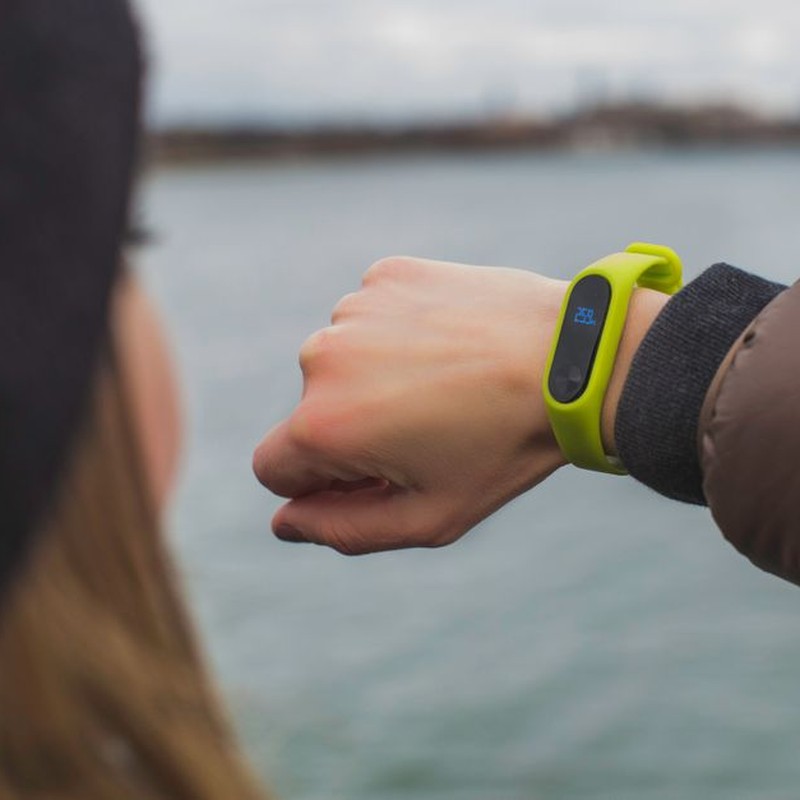
Your watch doesn’t measure calories. It estimates them, and the estimate stands on two inputs: a small optical heart rate sensor on the back of the wrist and an accelerometer that tracks how your arm moves. That’s the whole toolkit. It cannot see your muscle mass, your fitness level, how economically you pedal or stride, or how warm the room is. Every one of those factors changes how many calories you actually burn.
Calorie burn follows oxygen use. Muscles consume oxygen to do work, so the more oxygen your body takes in and uses, the more energy you’re spending. In a lab, researchers measure that directly with a metabolic cart that samples the air you breathe in and out. That’s why lab numbers and watch numbers come from different universes. Your watch is inferring gas mileage from the speedometer and the radio volume.
People differ, too. A 200-pound cyclist with years of training can burn fewer calories than a 150-pound beginner on the identical 30-minute ride, because the trained rider’s body is more economical. Your watch can’t tell those two riders apart. It sees heart rate and arm swing, nothing else.
Cardio machines show the gap clearly. I’ve watched it on an elliptical: when I hold the moving handles, my arms stay still and my watch reads about 200 calories for 30 minutes. When I let go and pump my arms, the same effort and the same sweat get logged at roughly 350. That’s one observation on one machine, not a lab test, but it shows how much arm motion drives the estimate.
Stationary bikes are worse. Validation studies have consistently found wrist devices estimating energy expenditure more poorly during cycling than during walking or running. In the JAMA Cardiology study by Shcherbina and colleagues (2017), every device tested had error rates above 20% for energy expenditure, with the largest misses on the bike. Your wrists barely move when you ride indoors, so the accelerometer has almost nothing to work with.
Optical heart rate has its own failure modes. The green LED has to shine through skin and bounce off blood flow in the wrist, and several things weaken that signal. Bent and colleagues at Northwestern published a controlled study in npj Digital Medicine (2020) that found motion, loose strap fit, tattoos under the sensor, arm hair, higher BMI, and darker skin tones all degraded readings. That last one deserves nuance rather than a blanket rule. Dark skin does not break every sensor. The effect varied by device and by person, and plenty of people with darker skin get usable numbers from modern watches. But the group-level pattern is real: melanin absorbs some of the green light, the signal-to-noise ratio drops, and accuracy can suffer more as intensity rises. A tattoo sitting under the sensor can cause the same problem.
Intervals expose a timing problem. Optical sensors need a few seconds of steady signal to lock on. Push through a 30-second sprint and your heart rate might peak near 180 while the watch is still reporting 140, catching up after you’ve already slowed down. Your average heart rate gets understated, and the calorie estimate drops with it. Hard interval sessions often show up as surprisingly low-burn days for exactly this reason.
Lifting confuses the math in a different way. Heart rate climbs during a heavy set of squats because of effort, nervous system arousal, and often breath holding. None of that scales neatly with calories burned. You finish the set and stand around for two minutes, heart rate still elevated, and the watch keeps reading that elevated pulse as ongoing work. Boudreaux and colleagues found large energy expenditure errors from wearables during resistance exercise in Medicine & Science in Sports & Exercise (2017).
One session stuck with me. I wore a chest strap and was connected to a metabolic cart for a deadlift workout. The cart put me near 250 calories. My watch said roughly 500. That’s a single personal observation and proves nothing statistically, but it lines up with the research pattern.
Then there’s the sitting problem. When you start a workout on a watch, the device often keeps adding active calories for as long as that workout runs, whether or not you move. I tested this on an Apple Watch: I started a strength session, sat in a chair for 30 minutes, and the watch credited about 80 calories to the workout. The Fitbit I used previously also produced a nonzero total when I sat still inside a workout session. How much gets added shifts with model, firmware, and settings like auto-pause, and newer devices tend to be stingier than older ones. The point still stands: a workout timer running is not proof you were working.
Firmware moves the numbers as well. My Garmin reported about 600 calories for my regular 5-mile route, then after an update the same route and the same pace read about 520. Nothing changed about my body or my effort. The algorithm changed. That makes any screenshot from a few months ago a poor baseline.
So what do you do with a number you can’t trust as a receipt? Here’s what actually helps:
- Treat the calorie figure as an estimate, not a measurement. It’s in the same category as a bathroom scale’s body fat reading: useful for direction, not for precision.
- Use weekly trends, not daily totals. If a steady week reads 500 a day and the next reads 700, that’s a signal. One day is noise.
- Don’t eat back exercise calories. The error margin is too wide. Add 600 calories back because your watch said 600 and you can end up in a surplus without realizing it.
- Switch to RPE or the talk test for intensity. Rate effort from 1 to 10, or check whether you can speak in full sentences. Both are more reliable than a calorie count.
- Add a chest strap if heart rate is your limiter. Electrical chest straps sidestep the light-based problems, though the calorie conversion is still a formula.
- For lifting, log sets, reps, and load. Strength progress is the real scorecard there, and those numbers don’t drift when the firmware changes.
- Never compare across firmware versions. An update can move your numbers 10% or more with no change on your end.
My own habit is simple: keep the watch on for heart rate and steps, treat cardio calories as a rough guide, and ignore the burn figure during strength work entirely. If you want to see what chest straps and dedicated heart rate monitors cost right now, check current prices on Amazon. And if your watch has ever logged a workout while you sat still, or your numbers jumped after an update, tell us about it in the comments.
What to Trust Instead of the Calorie Number
I still wear a watch on every run and every lift, but I stopped treating the calorie number like a food budget. That shift came after a week of testing two watches side by side. A 45-minute bike ride showed 420 calories on one and 310 on the other. My power meter estimated closer to 360. Three devices, three answers. The number on your wrist is a rough estimate, not a receipt.
So what do you trust instead? You trust measurements that repeat and that reflect your effort and your body’s response over time. Below is how I handle cardio, lifting, and fat loss now. None of this is medical or dietetic advice — it’s general education. If you have a health condition, are pregnant, manage diabetes, or take medication that affects appetite or blood sugar, work with a physician or registered dietitian who can look at your actual situation.
Use the Calorie Number as a Relative Score
The estimate is most useful when you compare it to your own past sessions. Same workout, same device, similar conditions. If your usual 30-minute run reads 280 to 320 and today it reads 500, something changed. Maybe you pushed harder. Maybe the watch lost heart rate signal and guessed. Either way, the absolute number doesn’t tell you how much food you earned.
I keep a note on my phone: date, workout type, duration, average heart rate, and the watch’s calorie figure. After a month, I look at trends. If my easy runs show higher calories at the same pace and heart rate, I know the watch is drifting. I don’t change how I eat because of that drift.
For Cardio, Anchor to Heart Rate Zones, Pace, Power, or the Talk Test
Cardio effort is easier to measure than calorie burn. Pick one anchor and hold it for a training block.
- Heart rate zones: A chest strap is more reliable for intervals if you want accuracy. Wrist heart rate is fine for steady work but lags during fast changes. Zone 2 should feel conversational. Zone 4 should feel hard but controlled.
- Pace: Track minutes per mile on the same route. If you run your loop at 10:00 per mile and your heart rate drops five beats over a month, that’s progress. The calorie number might not move at all.
- Power: With a power meter, watts are far more reliable than calories. A 200-watt ride is a 200-watt ride, no matter what your watch thinks you burned.
- Talk test: Costs nothing. Easy: full sentences. Moderate: short sentences. Hard: a few words at a time. I use this on most easy runs because it stops me from chasing a calorie target.
Set goals like 30 minutes in Zone 2 or a 5k at conversational pace instead of burn 500 calories. Those goals are repeatable, and they don’t tempt you to eat back a number that might be off by 30 percent or more.
For Lifting, Track Reps, Load, Rest, and How Strong You Feel
Wrist calorie counts during strength training are especially noisy. The watch sees arm movement and heart rate, not muscular tension. A heavy set of squats might barely move your wrists, so the watch reports a low burn even though you’re working hard. A set of curls might spike the number because your arm is swinging.
Track what actually drives progress: weight on the bar, reps completed, sets, and rest time. I use a notes app and log every working set, plus a 1-to-10 effort rating. A set of 8 reps at 135 pounds that felt like a 7 last week and feels like a 6 this week is progress. The watch calorie number is irrelevant to that.
Other signs you’re getting stronger: less rest needed between sets, more stable form, faster recovery. None of those show up in a calorie estimate.
If Fat Loss Is the Goal, Set Intake from a Two-to-Three-Week Weight Trend
Don’t set daily calories from what your watch says you burned. The estimate is noisy and it skews high for most people, especially during intervals and lifting. Use your body weight trend over two to three weeks instead.
Weigh yourself daily under the same conditions: morning, after the bathroom, before eating or drinking. Average each week. If your weekly average is stable and you want to lose fat, trim intake by roughly 200 to 300 calories per day. Losing 0.5 to 1 percent of body weight per week is a reasonable range for most people. If you’re losing faster and feeling drained, eat a bit more.
When you want to account for exercise, treat eating back half of the estimated burn as a starting heuristic, not a rule. If your watch says 600 calories from a workout, that means adding about 300 on that day as a first guess. Then adjust using scale weight, energy, and hunger. People whose watches read high often do better eating back less than half, and endurance athletes training two hours a day may need to eat back more. Watch estimates also tend to run high, so eating back everything you burn usually means overeating relative to your actual output — but the size of that gap varies a lot from person to person.
This is a feedback loop, not a formula. The watch is one input. Your weight trend, hunger, gym performance, and sleep are the others.
Track Protein, Fiber, Weekly Weigh-Ins, and Waist Measurements
These numbers respond to real progress better than a wrist algorithm.
- Protein: Aim for about 0.7 to 1 gram per pound of body weight per day (roughly 1.6 to 2.2 grams per kilogram). A 2018 meta-analysis by Morton and colleagues in the British Journal of Sports Medicine found muscle and strength gains plateau around 1.6 g/kg per day, and the International Society of Sports Nutrition notes intakes up to 2.2 g/kg are safe and effective for healthy lifters. For a 180-pound person, that’s 126 to 180 grams. Protein helps preserve muscle in a deficit and keeps you full.
- Fiber: The 2020-2025 Dietary Guidelines for Americans put adult targets at roughly 25 to 38 grams per day depending on age and sex. I use 25 to 35 grams as a working range for most clients, mostly from whole foods. Fiber supports digestion, appetite control, and overall health, and it gives you something concrete to track.
- Weekly weigh-ins: Use the weekly average, not a single day. One salty meal can add two pounds of water. The three-week trend is what matters.
- Waist measurements: Measure at the level of your navel, relaxed, after exhaling. Track it every two weeks. A dropping waist with stable weight often means you’re losing fat and holding muscle.
I also track how my clothes fit, progress photos, resting heart rate, and sleep. Slow signals, but they don’t mislead the way a calorie estimate can.
What I Do Now
I use an Apple Watch for heart rate and workout timing, but I ignore active calories. For cardio, I use a chest strap for intervals and the talk test for easy runs. For lifting, I log sets in a notes app. For fat loss, I track my weekly average weight and waist. I only eat back part of the watch’s burn when I’m genuinely hungry after a long session, and I adjust from there.
If your watch calories have ever sent you on a bad eating day, that’s worth talking about. Share what happened in the comments — what workout, what number, and what you did with it. Real stories from other readers help people spot the same patterns in their own data.
How to Get Better Numbers and What to Do Next
You will not turn a wrist optical sensor into a lab-grade metabolic cart. That is not happening. What you can do is reduce the obvious errors, decide which workouts deserve a better tool, and stop treating a rough estimate like a receipt. I have run the same watch with sloppy placement and with a dialed-in setup, and the difference in data quality is real, even if I cannot put a clean number on it.
Disclosure: As an Amazon Associate, I earn from qualifying purchases. If you buy through links in this article, it costs you nothing extra.
Fix placement before you blame the algorithm
Most bad readings I see start at the wrist. The optical sensor shines green light into your skin and reads how blood flow changes the reflection. If the sensor is not flat against skin, it is guessing.
- Wear the strap one finger-width above your wrist bone, on the flat side of your forearm.
- Make it snug enough that it does not slide when you shake your arm, but loose enough that you can slide a fingertip under the band.
- Rinse the back of the sensor after sweaty sessions. Dried salt, lotion, and sunscreen scatter light.
- Warm up for three to five minutes before you trust the reading. Cold hands mean poor peripheral blood flow, and optical sensors struggle with that.
- Skip the wrist for kettlebell work, heavy rows, or anything that pins the watch against a bar. The reading will be junk.
On my own easy runs, moving the watch up a finger-width and tightening it one notch cut the obvious dropout spikes. That is anecdotal, not a controlled test. The point is simpler: placement cleanup is free, and it removes noise before you spend money on anything else.
Fix the inputs you control
Your watch does not measure calories. It measures heart rate, motion, and time, then pushes those through an equation that already assumes things about your body. Age, weight, height, and sex are the assumptions. If they are wrong, every estimate downstream is wrong.
Open the app and check them today. Not last year’s weight. I once caught a friend with his height entered in centimeters instead of inches. That kind of mistake skews every calorie estimate in the same direction all day long.
Update your weight every four to six weeks. You do not need to weigh daily. You need the algorithm to stop working off a number from last winter.
Know when a chest strap is worth it
Optical heart rate is fine for steady-state cardio. It is genuinely not fine for intervals, lifting, or any circuit where your heart rate swings hard and fast. A chest strap reads the electrical signal from your heart directly instead of inferring it from light, and the lag mostly disappears.
If you do HIIT twice a week, a chest strap is the single most useful data upgrade for that training style. Pair it with your watch or phone and watch what happens to your recovery heart rate between intervals. Instead of a jagged mess, you get a curve you can actually read.
But do not buy one to fix a problem you do not have. If you mostly walk, run easy, or ride at a steady pace, your wrist sensor is probably good enough for direction. For intervals and lifting, it is not.
Treat the number as a direction, not a verdict
Here is the mindset that keeps you sane. Your watch gives you a rough heading. It tells you that today was harder than yesterday, that this class burns more than that one, that your long rides are your biggest energy days. That is useful. It is not a receipt.
Two habits make the data work for you:
Track weekly averages, not single workouts. One 400-calorie reading means almost nothing. Four weeks of Tuesday spin classes averaging 380 tells you something you can plan around.
Run your own calibration test. Eat back the calories your watch claims you burned for three or four weeks and see what your body weight does. If you were supposed to be in a 300-calorie daily deficit and you lost nothing, your watch is probably overestimating. If you lost faster than expected, it is underestimating for your activity mix. Now you have a personal correction factor, which beats any published error range.
If you are training to lose fat, do not eat back more than half the exercise calories a wearable reports. That buffer protects you from the overestimation problem and keeps one generous post-workout meal from undoing a week of consistency.
Where money actually helps
Before you buy any wearable upgrade, look at the intake side. Under-reporting what you eat is a much larger source of error than any watch miscalculation, and a twenty-dollar food scale fixes it immediately. Weigh your food for two weeks, not forever. You will learn portion sizes fast, then you can eyeball with reasonable accuracy.
After that, here is the order of value for most people:
- A food scale, because it improves the other side of the energy balance equation and costs less than most gadgets.
- A chest strap, if intervals or lifting are a real part of your week.
- A smart scale, if you want watch inputs updated without thinking about it and you want body-weight trend data instead of single readings.
Prices move constantly. If you want to check current prices on a chest strap, smart scale, or food scale, use the Amazon links in this article. That is the only price-check pitch I am making here, because the tools are optional and the free setup fixes come first.
And tell me what your watch has done to you. Mine once handed me 620 calories for a forty-minute walk with the dog. I would love to hear the worst estimate yours has produced. Drop it in the comments, along with whatever fixed it. Real numbers from real people beat spec sheets every time.